
Your clipboard.
Safe. Local. Always.
Clipwell is a fast, private clipboard manager for macOS and Windows. Your clipboard history stays on your device.
Free direct download • macOS 15+ • Windows 10 1903+
Search history
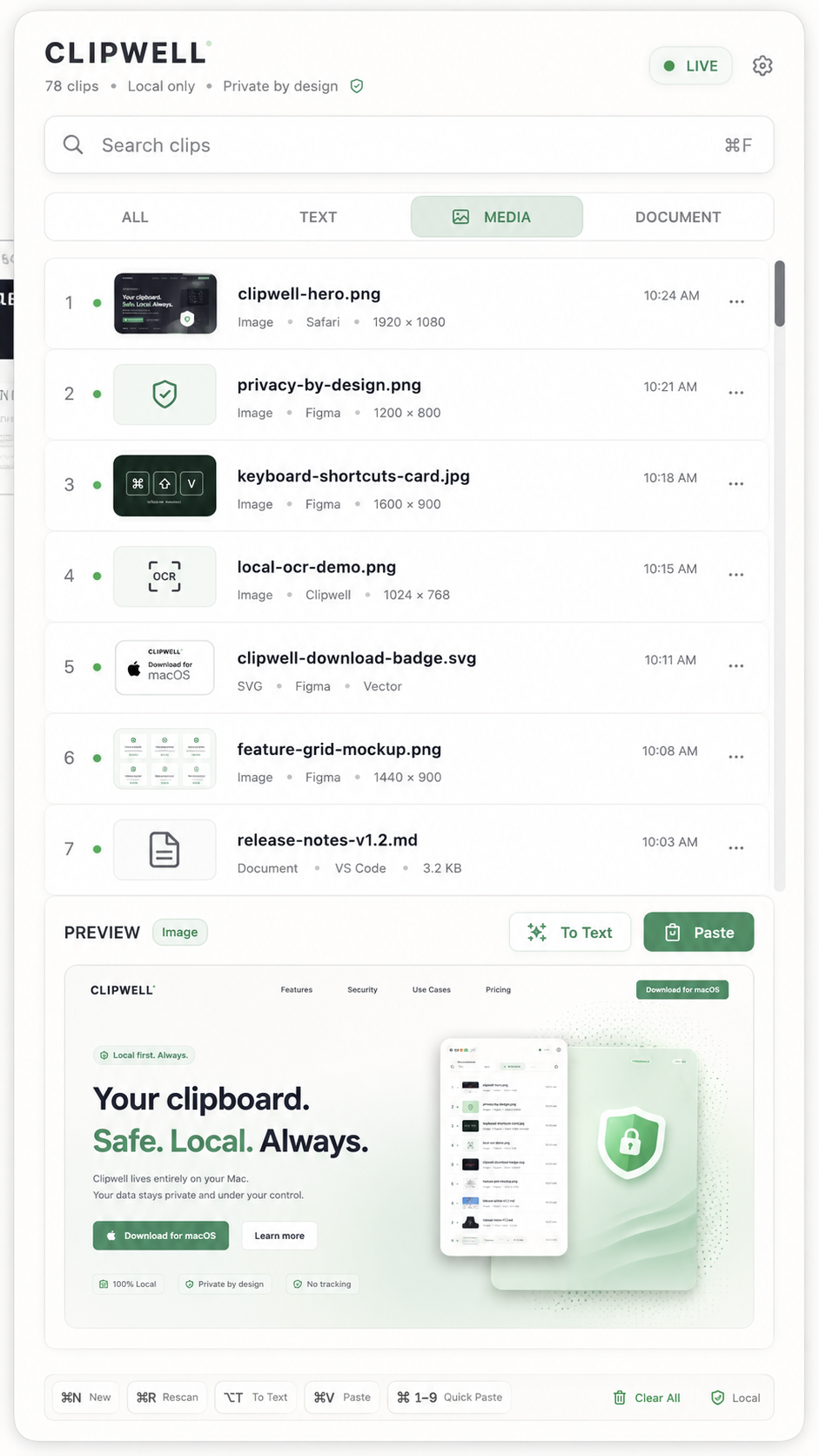
Find anything instantly with powerful, real-time search.
Filter by type
Browse by All, Text, Media, or Documents.
Rich previews
See more at a glance with thumbnails and metadata.
Keyboard paste
Paste the latest or select with ⌘ V. Super fast.
Ignore apps
Exclude apps you don't want Clipwell to watch.
Pause listening
Pause clipboard history whenever you need.
Local first. Always.
Clipwell stores everything locally on your Mac.
No accounts. No default cloud. No app tracking.
OCR
Extract text from images instantly with local OCR.
Screenshot OCR
Capture any part of your screen and extract text.
Local. Always.
Translation
Translate selected text with local and online engines.
Local glossary
Create and manage your own local glossary.
How Clipwell works
Designed for clipboard data that should stay yours.
Clipwell keeps control visible, predictable, and close to the Mac you use every day.
No Clipwell cloud account
Clipboard history is stored in your local SQLite database with payload files on disk.
Pause anytime
Stop listening from the menu bar when you are handling private material.
Ignore apps
Exclude password managers, terminals, browsers, or any app you do not want captured.
No in-app analytics
The current App Store plan avoids third-party analytics and advertising SDKs inside the app.
Private tools from a private systems studio.
Clipwell is designed and maintained by Mio Miao, a custom app studio building private digital systems for real work.
Visit Mio Miao
Get the complete app from our website.
Clipwell for Mac
Free website download
The complete early-access app for macOS. No account or subscription.
- Local clipboard history
- Search and type filters
- OCR and screenshot tools
- All advanced workflows included
Clipwell for Windows
Free website download
The complete early-access app for Windows. No account or subscription.
- Local clipboard history
- Search and type filters
- OCR and screenshot tools
- All advanced workflows included
Direct downloads from this website are free during early access. Future Mac App Store and Microsoft Store editions may be paid.
Questions before installing.
Does Clipwell upload my clipboard history?
No. Clipwell is designed to store clipboard history locally on your Mac or Windows PC.
Can I stop Clipwell from watching certain apps?
Yes. Use ignored apps for places where clipboard history should not be captured.
How does translation work?
Translation can use macOS Translation by default or an OpenAI-compatible endpoint when you configure one.
What can Clipwell preview?
Clipwell handles text, rich text, HTML, images, media, documents, and file URLs.
Will Clipwell always be free?
Direct downloads from this website are free during early access. Future App Store and Microsoft Store editions may be paid.
Built toward a focused Mac launch.
Marketing site, privacy policy, support content, and launch documentation.
Local-first Pro actions for extracting, translating, and saving useful text.
Menu bar app with global shortcut support and SQLite-backed history.
Ready for a better
clipboard experience?
Clipwell is local, fast, and built for macOS and Windows.
Download it free from the official website.
macOS 15+ • Windows 10 1903+